Autenti + PeopleForce
Digitize, automate, and streamline your HR processes with the Autenti-PeopleForce integration.

Why did we merge with PeopleForce?

Compliance with Regulations
The integration of Autenti and PeopleForce combines HR document management with the highest level of legal security. Thanks to support for qualified electronic signatures (QES), you can meet the requirements for documents that must be in writing to be valid—without ever leaving the HR system.

End-to-end support
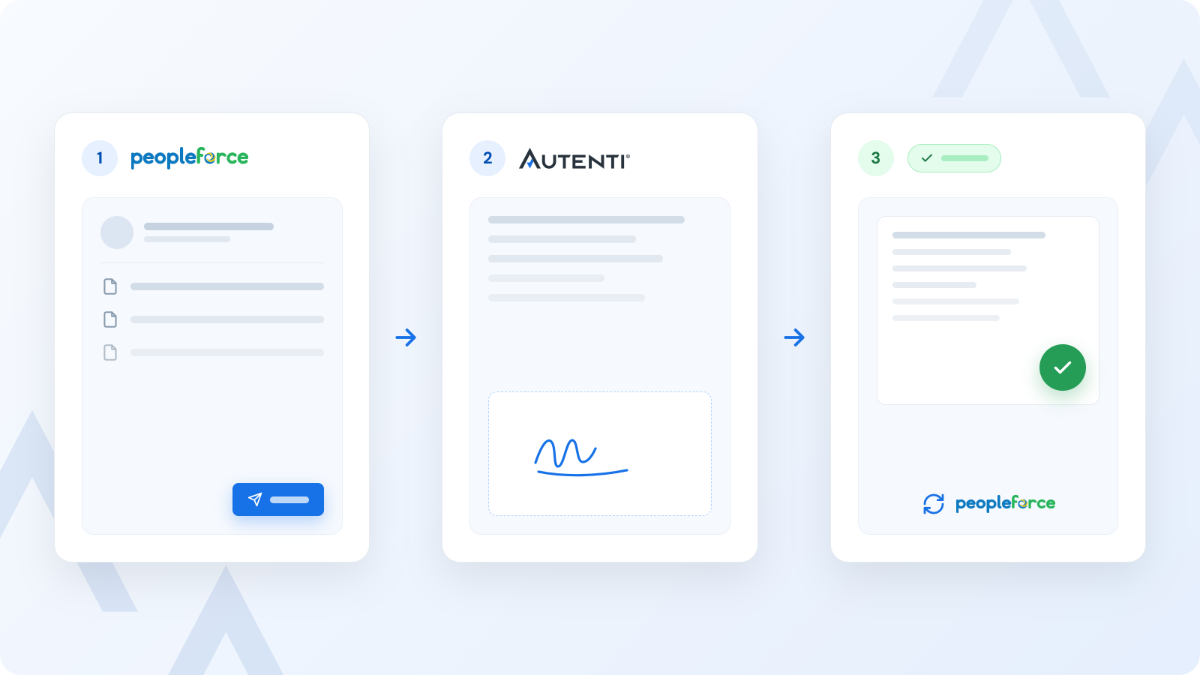
Sign and store employee documents in a single HRM system. From within PeopleForce, you can initiate the sending of a contract, assign signatories, and once it’s signed, the system automatically saves the completed document to the appropriate e-folder in the employee’s profile—without the need to download, print, or manually transfer files.

Minutes Instead of Days
You sign up to 30% of documents before the first day of work. With Autenti and PeopleForce, you can complete the preboarding process entirely remotely and automatically, eliminating paper, couriers, and delays—which significantly increases candidate satisfaction.
What processes does Autenti + PeopleForce support?
Preboarding and Hiring
You handle all the paperwork with the candidate before they even gain access to the company’s HRM system. PeopleForce creates the document, and Autenti:
- enables the candidate to provide a legally valid signature (including a qualified electronic signature (QES) for employment contracts, which requires 2FA/3FA authentication),
- guides the candidate step by step (via a link in an email), eliminating the need to create additional accounts,
- saves the signed employment contract or B2B agreement directly to the employee’s new profile in PeopleForce.
- Result: The contract was signed in just a few minutes, the employee was ready to start work on the first day, and everything was fully compliant with the law.

Creation and Circulation of Employee Documentation
No more manually sending out forms. PeopleForce lets you send and share PDF/DOCX files with multiple people at once, and Autenti:
- supports standard electronic signatures (SES) for personal questionnaires, medical referral forms, and payroll slips (RMUA, PIT),
- lets you instantly collect signatures from one or more decision-makers,
- automatically monitors deadlines—after 3 months of inactivity, the document’s status changes to “Expired.”
- Result: No gaps in electronic files, 100 percent transparency in processes, and well-organized personnel files.
Agreements Involving the Transfer of Copyrights and NDAs
Managing a company’s security and property rights requires maintaining a complete audit trail. PeopleForce sends the appropriate template, and Autenti:
- provides a qualified electronic signature, which is required, for example, for non-compete agreements or contracts for specific work involving the transfer of rights,
- sends email notifications, adds tasks to the to-do list, and displays alerts on the employee’s desktop,
- archives the document immediately after it is signed.
- Result: The company’s interests are protected with the highest evidentiary weight under eIDAS and labor law.
Offboarding and Terminations
Even difficult processes can be handled efficiently and respectfully. PeopleForce generates the final document, and Autenti:
- verifies the parties involved in the process and ensures that signatures are applied instantly to a termination notice or employment certificate without having to visit the office,
- updates statuses in real time (“Pending,” “Signed,” “Rejected”),
- blocks the process if any party rejects the document, notifying the HR team.
- Result: A quick, legally compliant employee departure process and all necessary handover documentation readily available.
The "Paperless Store" Project
Industry: Retail
Use case: HR, Administration, Purchasing, IT, Marketing, Central Purchasing Office
Project Details
500 stores in Poland have reduced their use of paper documents
The document signing process has been shortened by 90%

The Versatile Use of the Autenti and Webcon Integration within the CCC Group
Problem: The client was facing issues with paper-based document workflows in its stores (500 stores and nearly 1,000 employees). Each document was physically sent from the store to the company’s headquarters. The process was inefficient—causing delays in hiring and long wait times for documents to be signed and returned.
Solution: Integrating the Webcon platform with Autenti enabled electronic document signing, which ensured rapid contract finalization, ease of analysis, a consistent contract repository, and transparency in the signing process.
One automated process
Creating a Process and Sending from PeopleForce

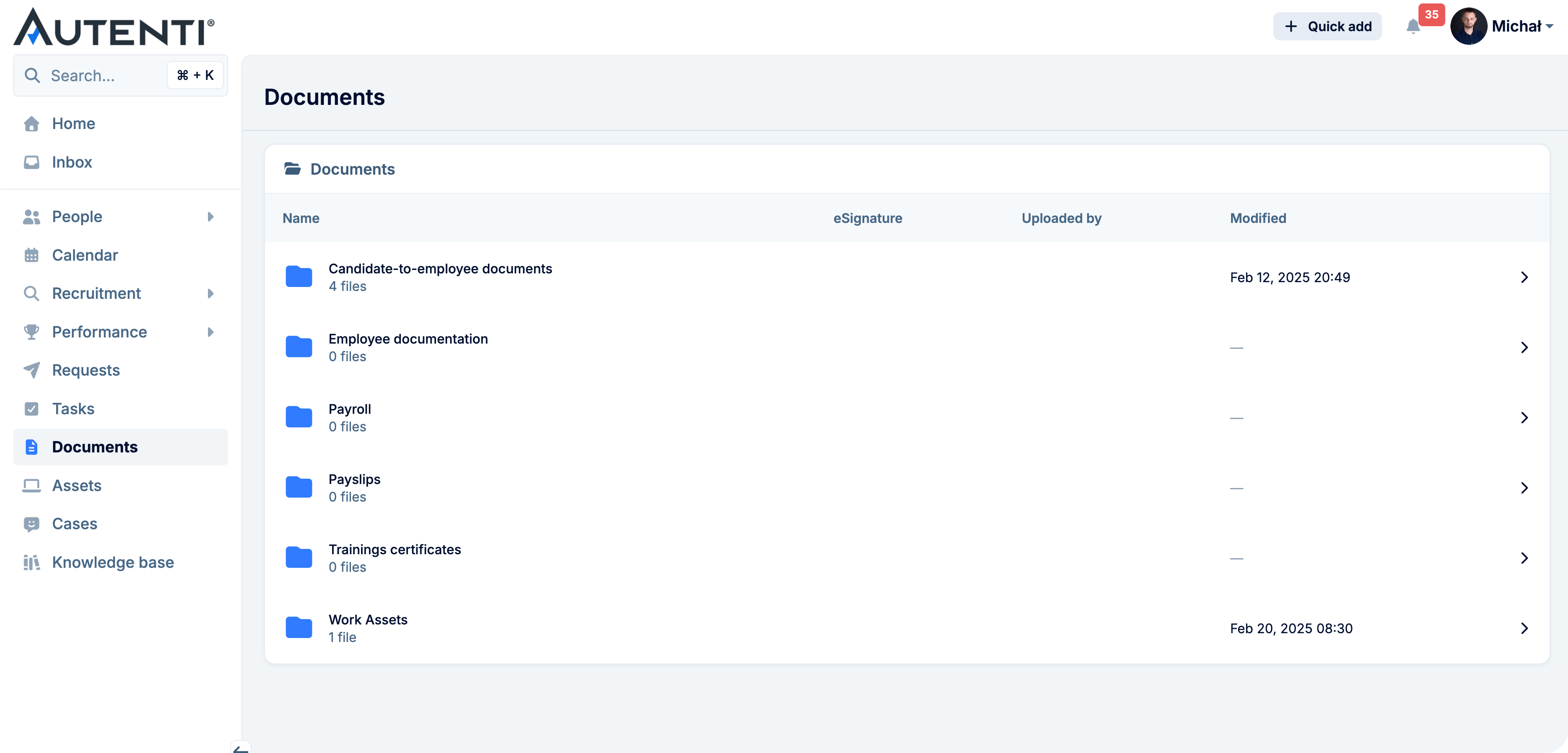
In the "Documents" tab, you upload a PDF or DOCX file and assign it to specific employees. You check the "Request an electronic signature" option and select Autenti (eSignature or Qualified Electronic Signature). The system automatically sends email notifications and creates tasks on the employees’ dashboards.
Sending for signature and Autenti authorization
Updating a Process in the HRM System
See how easy it is
Time-consuming, paper-based HR processes slow down work and drive up costs. The integration of PeopleForce with Autenti eliminates these problems through easy filtering and transparent statuses. From the PeopleForce view, you can see at a glance the avatars of assigned signers and the status of their e-signatures (e.g., Pending, Signed, Rejected, Expired).
You can easily filter documents requiring attention and send automatic reminders to employees who are behind schedule. Everything takes place in a single, secure environment.
Frequently Asked Questions
What is PeopleForce?
PeopleForce is a comprehensive, all-in-one HRM system. It helps companies manage talent, time, performance, and HR processes in a single, transparent system—from recruitment to offboarding.
What types of signatures does the Autenti integration with PeopleForce support?
The integration supports standard electronic signatures (SES) for routine processes (e.g., acceptance of terms and conditions, questionnaires) as well as Qualified Electronic Signatures (QES), which, under the European eIDAS Regulation, is equivalent to a handwritten signature. The latter is essential for employment contracts or agreements involving the transfer of copyrights.
How do you implement an integration in a company?
The process is simple, but requires the appropriate permissions. First, the Autenti Super Administrator adds PeopleForce to the so-called “whitelist” of applications (by pasting the assigned ID in the External Applications tab). Next, the PeopleForce administrator links the accounts in the Settings → Integrations → Electronic Signature Providers tab.
Can I send a single document to multiple people for their signatures?
Yes. The integration allows you to collect signatures from multiple signatories, regardless of whether they are current employees (with accounts in PeopleForce) or new external candidates.
Where do the signed documents go?
Immediately after Autenti has collected all the required signatures, the file is automatically downloaded and saved directly to the employee's profile in the Core HR module in PeopleForce.
Does this solution comply with the requirements of the Polish Labor Code?
Yes. Using an Autenti qualified electronic signature satisfies the written form requirement, and the entire environment protects data in accordance with the ISO 27001 standard, the GDPR, and the requirements of the NIS2 Directive.